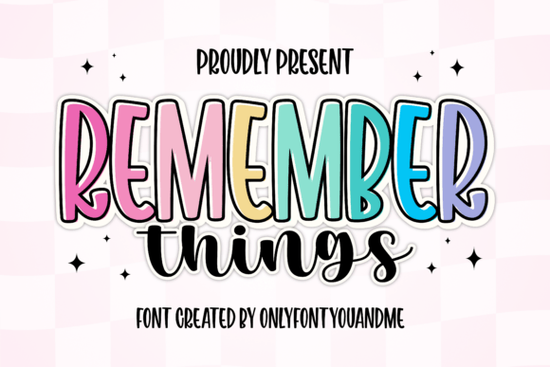
If you’re looking for a font that brings both energy and warmth to your designs, the Remember Things font might be just what you need. It’s not one font but two a bold, outlined display style paired with a flowing handwritten script. Together, they create a look that’s cheerful without being childish, modern without feeling cold. Whether you’re designing greeting cards, social media graphics, or print-on-demand merch, this duo gives you flexibility while keeping your work cohesive.
What kinds of projects work best with this font?
The tall display font stands out beautifully in headlines, logos, or packaging where you want something eye-catching but not overwhelming. Think of it like those fun sticker fonts you see on kids’ products except this one works just as well for grown-up brands too. Pair it with the brush script for quotes, captions, or product descriptions, and you’ve got contrast that feels intentional, not chaotic.
- T-shirts and tote bags with motivational phrases
- Instagram story templates or Pinterest pins
- Children’s book covers or classroom posters
- Branding kits for small creative businesses
It’s especially handy if you’re juggling multiple design elements and want everything to feel “of a set.” You can use the bold version for titles and the script for supporting text no need to hunt for a second font that matches.
How does it compare to other playful display fonts?
Unlike some retro or overly cartoonish options like what you might find in the retro display category Remember Things keeps its curves smooth and proportions balanced. That means it doesn’t date itself quickly. And while fonts like those made for kids’ themes can sometimes feel too niche, this one adapts. The script layer adds softness, so even if your project isn’t aimed at children, it still feels approachable.
If you’ve ever used layered fonts before maybe something from the floral display collection or even Motcha you’ll appreciate how cleanly the outline and fill layers align here. No wrestling with kerning or manual offsets. Just drop them in, toggle colors, and you’re done.
Can I use it for commercial projects?
Yes. Creative Fabrica includes a commercial license with every download, so whether you’re selling mugs on Etsy or designing client work, you’re covered. That’s especially helpful for crafters and small business owners who don’t have time to dig through licensing fine print. Just make sure you’re downloading from the official product page always check you’re logged into your account so the license attaches properly.
What file formats come with the download?
You’ll get OTF, TTF, and WOFF files enough to cover desktop use, web embedding, and most design software. No SVGs or color fonts included, but since the outline effect is built into the display font (not an overlay), you can easily recolor it using any vector tool or even basic apps like Canva.
Pro tip: If you’re using it in Cricut Design Space or Silhouette Studio, install both fonts locally first. Then type your text in the bold display style, duplicate the layer, switch the duplicate to the outline version, and nudge it slightly behind. Instant dimensional effect.
Any tips for pairing it with other fonts?
Because Remember Things already includes two complementary styles, you often won’t need a third. But if you’re building a full brand system or laying out a multi-page document, stick to simple sans-serifs for body text. Something clean like Montserrat or Lato lets the personality of Remember Things shine without competing.
Avoid pairing it with other script fonts the brush script here has enough character on its own. And if you’re working on editorial layouts say, a zine or digital magazine check out the display fonts curated for magazine use. Many of those are designed to hold up at smaller sizes, which is where Remember Things’ display style might struggle.
Quick checklist before you start:
- Install both fonts the bold display and the brush script so your software recognizes them as a pair.
- Test readability the display font is best above 24pt; below that, switch to the script or a simpler font.
- Play with color try white fill + dark outline, or vice versa, for maximum pop.
- Export as vectors when possible, especially for print or cutting machines.
Start simple: pick one phrase, set it in the bold display font, then add a short subtitle in the script. See how they balance each other. Once you get the hang of it, you’ll find yourself reaching for this duo again and again not because it’s flashy, but because it just works.
Learn More A Modern Font for Structural Design Ideas
 Bright Summer Flower Fonts for Your Designs
 The Motcha Font: Design Versatility & Creative Ideas
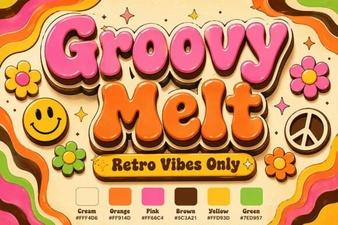 Groovy Melt: a Fun Font for Retro Designs
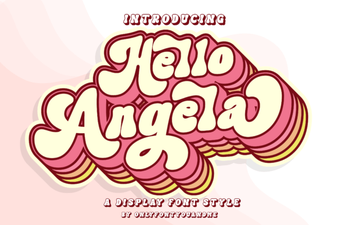 Hello Angela Font: Download & Installation Guide
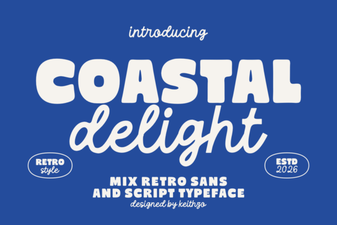 Coastal Delight Font for Creative Beach Designs