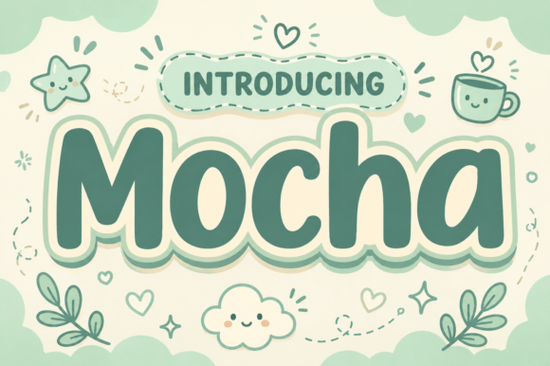
If you’ve been looking for a font that feels like wrapping your hands around a warm mug on a quiet morning, Motcha Font might be exactly what your next project needs. It’s not just another display typeface it’s got personality. The soft, pillowy letterforms and gentle curves give off a cozy, approachable vibe, perfect for anyone creating designs that need to feel welcoming rather than loud. Whether you’re branding a small café, designing kids’ book covers, or putting together social media graphics that stand out without shouting, Motcha brings comfort into every curve.
What kind of projects does Motcha Font work best for?
This font shines when used in contexts where warmth and charm matter more than stark minimalism. Think:
- Coffee shop menus, loyalty cards, or chalkboard signs the earthy cream and sage-green sticker outline (included as part of the layered design) fits right into rustic or cottagecore aesthetics.
- Children’s books or nursery decor its rounded, friendly shapes make it easy on young eyes and full of character.
- Lifestyle product packaging candles, teas, handmade soaps, or artisan snacks benefit from its gentle presence.
- Social media headers or quote graphics especially if your brand leans toward mindful living, slow mornings, or hygge-inspired content.
It’s also surprisingly versatile across print and digital formats. You don’t need to worry about losing legibility at smaller sizes because the bold weight keeps things clear though we’d still recommend using it mostly for headlines or short phrases rather than body text.
How does it compare to other display fonts I already use?
If you’ve worked with Have A Nice Day Honey, you’ll notice Motcha shares that same playful spirit but trades whimsy for grounded coziness. Where Brick Stacked gives you rugged texture and urban energy, Motcha offers something softer ideal for balancing out heavier elements in your layout.
And while Magazine Design leans editorial and sleek, Motcha is more tactile, almost handmade-feeling. If you liked the floral delicacy of Summer Flower or the structured retro appeal of Varsity Narrow, consider Motcha as your “comfort food” alternative less ornate, more huggable.
Is this font beginner-friendly for crafters or small business owners?
Absolutely. Even if you’re new to design software like Canva, Silhouette Studio, or Adobe Illustrator, Motcha comes ready to install and use. The layered version includes separate files for the base letters and the decorative sticker outlines, so you can toggle them on or off depending on how much flair you want. No masking or clipping paths required unless you choose to customize further.
For print-on-demand sellers, pairing Motcha with neutral backgrounds (think linen textures, watercolor washes, or muted pastels) creates instant visual harmony. It photographs beautifully on physical products too mugs, tote bags, tea towels which matters if you’re shooting mockups for Etsy or Shopify.
Any tips for getting the most out of Motcha Font?
Here are a few practical ways to stretch its potential:
- Use sparingly. One headline per design is usually enough let the font do the talking without overcrowding.
- Pair with simple sans-serifs. Fonts like Montserrat, Lato, or even system fonts like Arial keep the focus on Motcha’s charm without competing.
- Try changing the outline color. The default sage and cream look lovely, but swapping in terracotta, oatmeal, or soft lavender can shift the mood entirely.
- Add subtle shadows or glows. Just a hint of drop shadow makes the sticker effect pop off the page great for digital ads or Instagram stories.
You can explore more options by checking out Motcha Font directly on Creative Fabrica, where you’ll find licensing details and bundle deals if you’re stocking up for multiple projects.
Final thought before you download
Fonts like this aren’t just tools they’re tone-setters. Motcha doesn’t demand attention; it invites people in. That’s rare. In a world where everyone’s trying to shout louder online, sometimes the quietest voice wins. If your goal is connection over conversion, comfort over clickbait, then yes this one’s worth adding to your toolkit.
Next step: Before downloading, open a blank canvas in your favorite design app and sketch out three real uses for Motcha maybe a greeting card, a product label, and a story highlight cover. Having concrete ideas ready helps you hit the ground running once the file lands in your folder.
Explore Design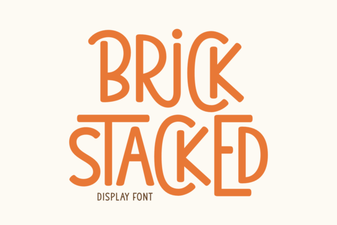 A Modern Font for Structural Design Ideas
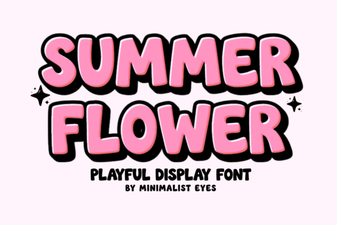 Bright Summer Flower Fonts for Your Designs
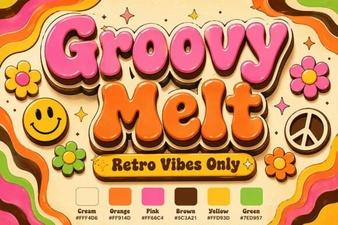 Groovy Melt: a Fun Font for Retro Designs
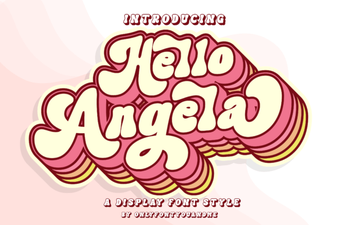 Hello Angela Font: Download & Installation Guide
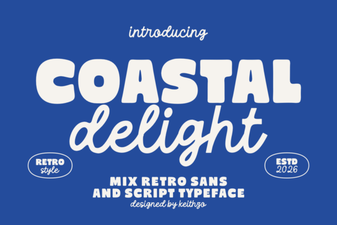 Coastal Delight Font for Creative Beach Designs
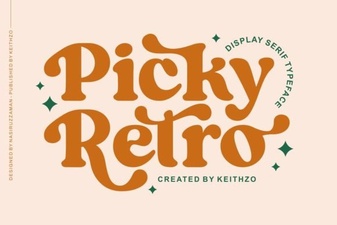 Picky Retro Fonts for Modern Design Projects